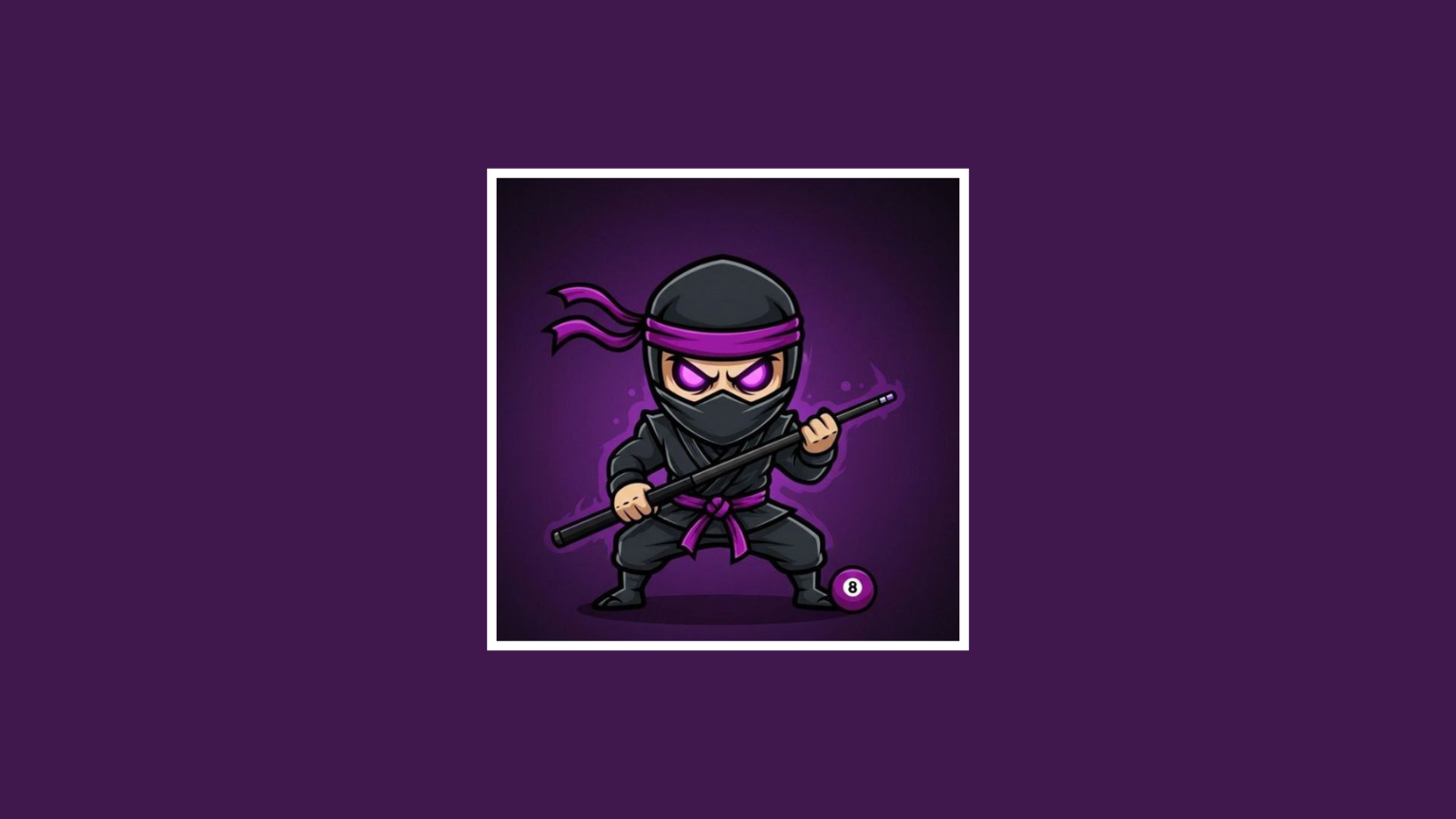
Wealth Seasons Premium Avatar For Carrom Pool
In this article, I am going to give you all the premium avatars of Wealth Seasons, which you can use on your Carrom Pool ID. All these avatars are completely premium, and you do not need to pay even a single rupee for them. You just need to download these avatars, follow the steps given below, and apply them to your Carrom Pool ID.
1)

2)

3)

How To Use Avatars ?
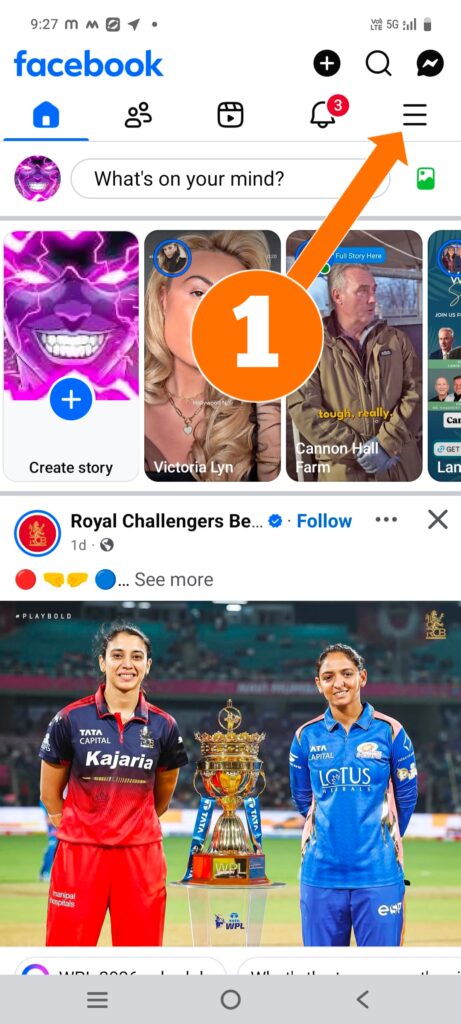
First of all, open Facebook. After opening Facebook, you will see three lines at the top right side. Click on them.
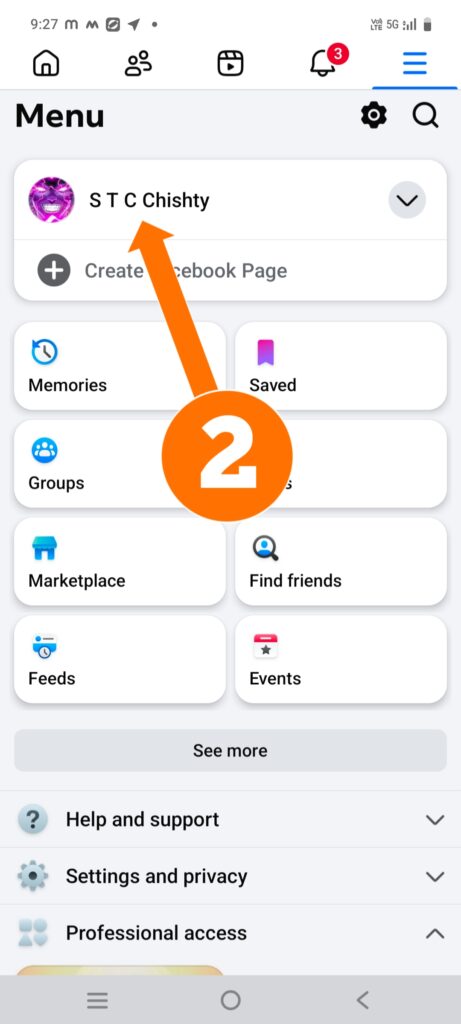
After clicking on the three lines, you will see your profile name and profile image. Click on your profile name.
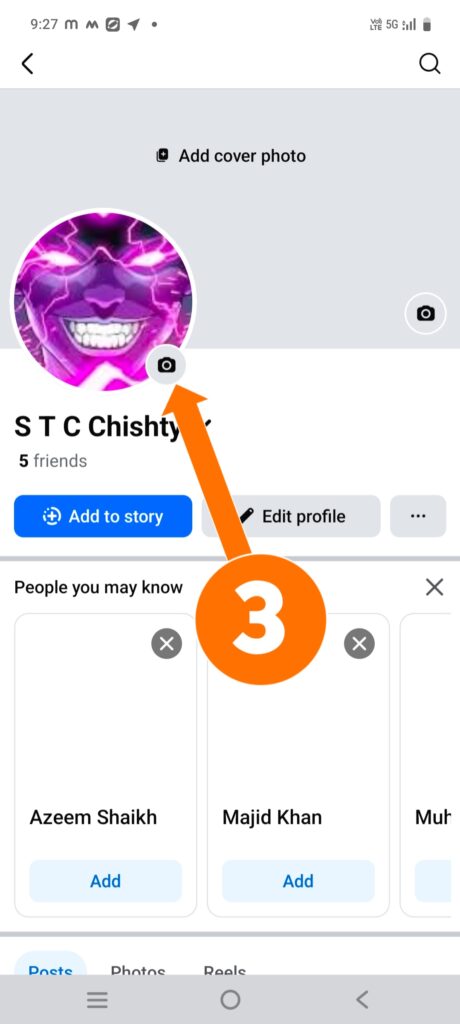
After clicking on the profile name, you will see a small camera icon below your profile image. Click on that icon.
After clicking on the camera icon, you will be asked for gallery permission. Allow the permission. Then select your avatar and click on Save.
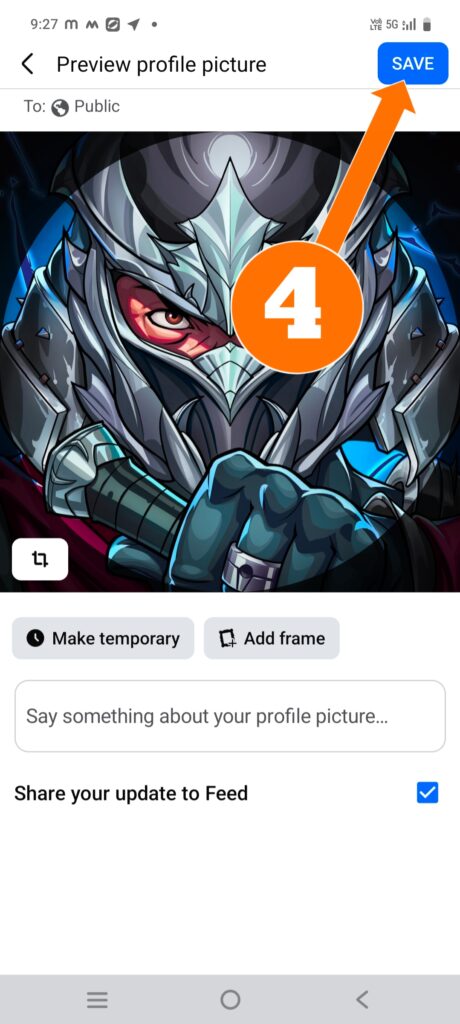
After saving the avatar, wait for 5–10 seconds. Your profile image will be uploaded. Then go to your Carrom Pool account and check — your avatar will be applied to your Carrom Pool account.